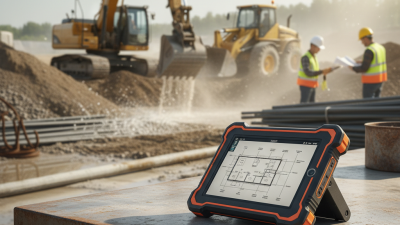

Welcome to visit our new website: www.szpds.com

How to Choose Rugged Mobile Computers for Your Business?

Leave Your Message

0%

Picking the right rugged mobile computers? It can be the difference between a productive day in the field and an expensive stretch of downtime. A device might look tough in a brochure, but then dust gets into the charging port, or gloves make the touchscreen useless. Warehouse supervisors, utility crews, transportation teams, emergency techs—they all deal with different risks. So their gear should fit the actual conditions they work in, not just look good on a spec sheet.

When we look at these things practically, we check drop resistance, IP ratings, operating temps, battery life, screen visibility, and how easy repairs are. A computer used near loading docks may need a bright display, sealed ports, and a design that works well with scanners. A tech working outdoors might care more about sunlight readability, hot-swappable batteries, and reliable wireless. MIL-STD-810H testing can be helpful evidence, sure, but you still have to review the test methods and vendor claims carefully. Standards help, but they don’t replace time in the field.

Big names like Panasonic Toughbook, Getac, and Zebra Technologies each offer a different mix of mobility, durability, and cost. Still, the priciest model isn’t automatically the best one. We’ve seen teams overbuy ruggedness and then overlook software compatibility, mounting systems, or staff training. Easy mistake to make. A better call connects the device design to daily tasks, total ownership costs, and the business risks you can actually measure. This guide digs into the questions that matter before you buy, while admitting one uncomfortable truth: no Rugged Mobile Computers solution is perfect. The right one just fails less often, works comfortably, and stays supportable as operations change.

How to Choose Rugged Mobile Computers for Your Business?

What Are Rugged Mobile Computers?

How to Choose Rugged Mobile Computers for Your Business?

What Are Rugged Mobile Computers?

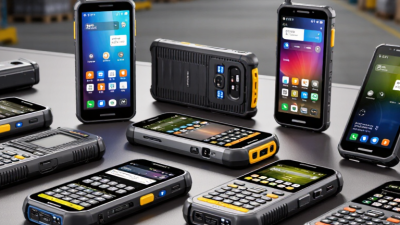
Rugged mobile computers are portable devices built for work where ordinary tablets often fail. They combine a processor, display, battery, wireless connections, and business software in reinforced housing. Their sealed enclosures resist dust, water splashes, vibration, and repeated drops. Many models also support gloves, bright sunlight, barcode scanning, and vehicle mounting. This combination matters in warehouses, field maintenance, transportation, utilities, and public infrastructure.

In practical use, ruggedness is more than a thick shell. A dependable device should keep working after temperature changes, damp hands, and constant movement. Check published protection ratings, drop-test conditions, operating temperatures, and service procedures. Do not trust vague claims. I have seen teams choose a computer by appearance, then struggle with weak batteries or slow scanning. The lesson is simple, but easy to miss: durability must match the daily task.

A warehouse picker may need a pistol grip and fast scans. A technician may need ports and a readable screen. Consider battery replacement, software updates, repair time, and staff training before purchase. These details can affect total cost more than the initial price.

No device is perfect. A sealed unit may be heavier, while a larger screen can reduce portability. Test representative workflows in real conditions, including rain, gloves, vehicle vibration, and poor connectivity. That honest trial often reveals requirements a product sheet cannot.

Which Business Conditions Require a Rugged Mobile Computer?

How to Choose Rugged Mobile Computers for Your Business?

A rugged mobile computer becomes necessary when ordinary devices face repeated drops, dust, moisture, vibration, or extreme temperatures. Warehouses, construction sites, transport yards, utilities, and field-service operations often create these conditions. A worker may scan a pallet at 6 a.m., wearing cold-weather gloves, beside a loading dock. A consumer tablet may fail there.

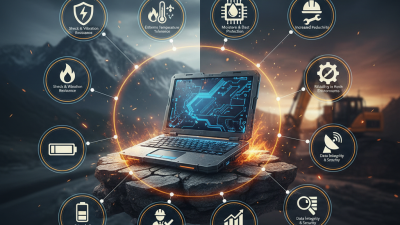
The U.S. Bureau of Labor Statistics recorded 865 fatal occupational injuries involving falls, slips, and trips in 2022. This figure does not measure device damage, but it highlights the physical risks of busy workplaces. Equipment should support safer workflows, not create another distraction. Look for tested drop resistance, sealed ports, glove-compatible screens, readable displays, and batteries that last through a full shift. IEC 60529 ingress ratings and MIL-STD-810H testing can provide useful evidence, but test claims need careful review. A higher rating is not automatically better.

Tips:Observe the worksite before choosing a device. Check dust levels, rain exposure, cleaning routines, temperature, and drop height. Ask workers to test the keyboard and screen. Small details matter. Also measure repair time and battery replacement costs. A Rugged Computer can still be a poor investment if its software is slow or its accessories are fragile. This choice is easy to get wrong. Field conditions change more than product sheets suggest.

How to Define Your Operational and Performance Requirements

Choosing Mobile Rugged Computers starts with defining real work conditions, not comparing processor names. Map each task from morning loading docks to dusty service vehicles. Record temperature, moisture, vibration, glove use, screen glare, and expected drop height. A warehouse worker may need a bright touchscreen, while a field technician may need a sealed keyboard and long battery life. The 2023 Warehousing Vision Study reported that 73% of decision-makers considered modernization important. That pressure can encourage rushed purchases. Do not let it.

Performance requirements should be measurable. List the applications, barcode tools, camera functions, network limits, and operating hours. Then test them together. A device that opens software quickly may still fail when scanning through a cold-storage doorway. Deloitte’s 2024 Smart Manufacturing and Operations Survey found that 86% of manufacturing leaders viewed smart manufacturing as a major priority. Yet speed alone is not enough. I have seen teams overestimate processor needs and underestimate battery replacement time. That mistake becomes expensive during a twelve-hour shift.

Tips: Create a simple field trial with real gloves, noise, dust, and poor lighting. Measure boot time, scan accuracy, battery endurance, and repair time. Ask workers to repeat common tasks, not showroom demonstrations. Leave room for imperfect data. A spreadsheet may look precise, but human fatigue can change the result. Review failure points with IT, operations, and maintenance staff before final selection.

How to Compare Durability Ratings and Environmental Protection

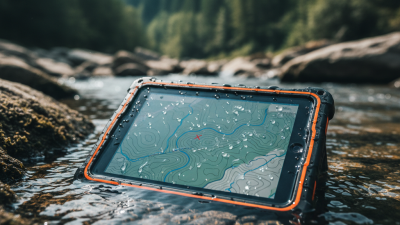
Choosing Rugged Tablet Computers requires more than reading a durability label. IEC 60529 defines IP ratings for dust and water protection. An IP65 device is dust-tight and resists water jets. An IP67 device supports temporary immersion up to one metre for 30 minutes. These tests matter near loading bays, farms, and wet production floors. They do not measure drops, vibration, heat, or chemical exposure.

MIL-STD-810H is also frequently misunderstood. It describes environmental test methods, not one universal durability score. A tablet tested for Method 516.8 may survive repeated drops, while Method 514.8 addresses vibration. Ask for the exact method, height, surface, temperature, and number of impacts. VDC Research’s enterprise mobility studies repeatedly identify failure resilience and total cost of ownership as major buying factors. That supports a practical comparison: calculate repair delays, replacement units, and lost worker time.

I have seen teams choose IP68 and ignore cold starts. That can be expensive. Check operating temperatures, glove usability, screen brightness, port covers, and battery performance at low temperatures. A warehouse tablet may face concrete drops, metal dust, and forklift vibration on the same shift. Request test reports, not marketing phrases. Real evidence is better. Still, laboratory testing has limits. Field trials should expose the device to your actual routes, tools, and weather before purchase.

How to Evaluate Processing Power, Connectivity, and Battery Life

How to Choose Rugged Mobile Computers for Your Business?

Processing power should match the work, not just the specification sheet. A warehouse device scanning labels needs less power than a unit running mapping software and video calls. Check the processor, RAM, and storage together. A fast chip with limited memory may still freeze during peak workloads. In field evaluations, smooth switching between inventory screens and camera tools often matters more than benchmark scores. Car Computers used in vehicles also need stable performance during vibration, heat, and repeated start-up cycles.

Connectivity deserves practical testing. Confirm support for the wireless networks used in your facilities, vehicles, and remote sites. Wi-Fi performance can change near metal shelving or concrete walls. Cellular support helps outside the building, but coverage should be tested along real delivery routes. Include Bluetooth for scanners, printers, and headsets. Wired ports may seem old-fashioned. They can save time when wireless pairing fails.

Tips: Test a loaded device during a full work shift. Watch battery loss, screen brightness, signal drops, and charging time. Choose replaceable batteries when workers cannot stop for long periods. Check the stated battery rating carefully; actual endurance changes with GPS, cameras, cold weather, and heavy apps. A drop test is useful, but daily handling reveals more. I would also leave room for error, because early estimates are rarely perfect.

How to Choose Rugged Mobile Computers for Your Business? — How to Evaluate Processing Power, Connectivity, and Battery Life

Evaluation Dimension Recommended Specification Suitable Business Scenario How to Evaluate It Practical Considerations
Processor Performance Modern multi-core processor with at least 4 physical cores for standard enterprise applications. Inventory management, field service software, warehouse operations, and electronic forms. Confirm application requirements, core count, clock speed, and performance under sustained workloads. More processing power helps with multitasking, but it may increase heat generation and energy consumption.
Memory 8 GB RAM for routine tasks; 16 GB or more for simultaneous use of databases, mapping, video, or analytics applications. Users who switch between navigation, barcode scanning, communication, and cloud applications. Check the operating system’s memory requirements and the number of applications used at the same time. Insufficient RAM can cause slow application switching even when the processor is capable.
Storage 128 GB solid-state storage as a practical starting point; 256 GB or more for offline data, maps, images, and diagnostic files. Field technicians, transportation teams, inspection staff, and users working in areas with unreliable connectivity. Estimate the size of applications, offline files, operating-system updates, and data retained on the device. Solid-state storage has no moving parts and is generally better suited to vibration and shock than mechanical drives.
Graphics Capability Integrated graphics for business applications; higher-performance graphics for 3D visualization, machine vision, or augmented-reality workflows. Industrial design review, equipment diagnostics, warehouse visualization, and inspection systems. Test the actual application with representative files, screen resolution, and external-display requirements. Dedicated graphics can improve visual performance but commonly increase power draw and system weight.
Wi-Fi Connectivity Wi-Fi 6 is appropriate for dense facilities and high numbers of connected devices; backward compatibility is useful for mixed networks. Warehouses, hospitals, factories, retail locations, and corporate campuses. Verify supported bands, wireless security, roaming behavior, antenna design, and compatibility with the existing network. Real-world throughput depends on access-point placement, interference, network configuration, and client distance.
Mobile Broadband 4G LTE for broad coverage; 5G where low latency or higher mobile data speeds are operationally valuable. Utilities, logistics, public safety, construction, and remote service operations. Compare carrier coverage, supported frequency bands, SIM or eSIM options, roaming policies, and data costs. A 5G-capable device may still use 4G when 5G coverage is unavailable.
Location Services Multi-constellation GNSS support, such as GPS, Galileo, GLONASS, or BeiDou, for improved availability in varied environments. Fleet management, route navigation, asset tracking, land inspection, and delivery verification. Assess location accuracy requirements, update frequency, antenna performance, and operation near buildings or machinery. Satellite accuracy can be reduced by obstructions, reflected signals, atmospheric conditions, and indoor environments.
Peripheral Connectivity USB-C, USB-A, Bluetooth, optional Ethernet, and docking support based on the organization’s equipment. Connecting scanners, printers, test instruments, displays, keyboards, and industrial accessories. List every required peripheral and confirm connector type, data rate, charging support, and driver compatibility. Sealed ports, protective covers, and locking connectors can improve reliability in dusty or wet workplaces.
Battery Capacity Approximately 40–60 Wh for many compact mobile computers; larger capacities may be needed for long shifts or heavy workloads. Mobile workers who spend most of the day away from charging stations. Compare watt-hours rather than only milliamp-hours, because voltage differs between battery designs. Display brightness, wireless radios, processor load, ambient temperature, and accessory use strongly affect runtime.
Battery Runtime Target a tested runtime of 8–12 hours for a full work shift, with additional reserve for travel and unexpected delays. Field service, transportation, warehouse picking, inspection, and outdoor maintenance. Run a standardized test using the real application mix, screen brightness, wireless connections, and scanning frequency. Manufacturer runtime figures may use light workloads and should not replace an organization-specific pilot test.
Hot-Swappable Battery Consider a hot-swappable design when continuous operation is more important than minimizing device size. 24-hour logistics, emergency response, manufacturing lines, and hospital operations. Check replacement time, spare-battery charging options, battery-management software, and safe swap procedures. Hot swapping can reduce downtime, but spare batteries add cost, inventory requirements, and carrying weight.
Ingress Protection IP65 or higher for environments exposed to dust, water jets, or frequent outdoor use; select the rating according to actual hazards. Construction, utilities, agriculture, transportation yards, and industrial facilities. Review the complete IP rating and confirm that all ports, doors, connectors, and accessories maintain the intended protection. Ingress protection does not automatically indicate resistance to chemicals, corrosion, or prolonged immersion.
Drop and Vibration Resistance Choose equipment tested against recognized rugged-device methods, with a drop height and vibration profile appropriate to the worksite. Warehouses, vehicles, construction sites, field maintenance, and industrial production. Request test conditions, drop surfaces, operating temperature, number of drops, and vibration procedures. A test result is most useful when its conditions resemble the device’s actual transport and operating environment.
Operating Temperature Select a device rated for the expected temperature range, including storage, charging, vehicle use, and outdoor operation. Cold-chain logistics, outdoor inspection, refrigerated facilities, and hot manufacturing areas. Compare the published operating and charging ranges with local climate and workplace conditions. Battery capacity and charging performance can decrease in very cold or very hot conditions.
Display and Touch Input High-brightness display for outdoor work; glove, wet-touch, and stylus support where required. Outdoor inspection, warehouse picking, vehicle service, and workers wearing protective gloves. Test readability in direct sunlight, touch accuracy with gloves, response when wet, and viewing angles. Higher brightness improves outdoor visibility but may reduce battery runtime.
Total Cost of Ownership Evaluate purchase price together with batteries, docks, protective accessories, support, repairs, software, and replacement cycles. Large deployments with formal budgeting, asset management, and service-level requirements. Estimate costs over three to five years and include downtime, deployment labor, warranty coverage, and spare units. A higher initial cost may be justified when durability, serviceability, and longer operational life reduce replacement frequency.

How to Select the Right Form Factor, Features, and Accessories

Choosing rugged mobile computers starts with the worker’s movement, not the device brochure. A warehouse picker needs a light handheld with a bright screen and a scan trigger. A technician beside a vehicle may prefer a larger tablet with glove-friendly controls. For dashboard installation, Automobile Computers require secure mounts, vibration resistance, and readable displays. “Small” is not always practical.

VDC Research’s enterprise mobility studies consistently identify ergonomics, lifecycle support, and device reliability as major purchasing factors. Test the computer during a real shift. Ask workers to scan labels, wear gloves, and carry it up stairs. Their feedback often exposes problems that laboratory specifications miss. It may feel uncomfortable.

Select features around the worksite. An IP rating supports dusty or wet environments, while sunlight readability matters outdoors. Extended batteries reduce charging interruptions, but they add weight. Wi-Fi 6 can help busy facilities, although coverage gaps still require offline operation. According to the 2023 DHL Logistics Trend Radar, connected operations and automation are accelerating, yet implementation depends on dependable data capture. Add accessories carefully: hand straps, vehicle cradles, spare batteries, and protective cases should improve workflow, not create clutter. The Occupational Safety and Health Administration emphasizes reducing repetitive strain and awkward postures; therefore, a five-minute handling trial deserves more attention than a long feature list. One mistake remains common: choosing maximum durability when balanced durability would serve workers better.

How to Choose Rugged Mobile Computers for Your Business?

Select the right form factor, protection level, features, and accessories for your operating environment.

The chart uses the protection digits defined by IEC 60529. The first digit measures protection against solid particles, while the second measures protection against water. Handheld computers are typically suited to mobile scanning and field work, vehicle-mounted computers to warehouses and logistics vehicles, and Rugged Tablets to inspections, maintenance, and outdoor workflows. Select accessories such as vehicle docks, barcode scanners, hand straps, keyboards, and spare batteries according to the task and mounting environment.

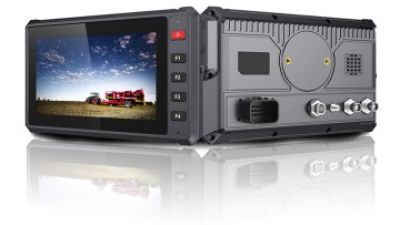
Vehicle Tablet T7 for Agriculture: Rugged Performance, Sunlight Readability, and Smart Field Operations

Modern agriculture is under pressure to produce more with fewer resources. The UN Food and Agriculture Organization projects that global food production may need to increase by nearly 50% by 2050, making accurate, connected field operations increasingly important (FAO, *The Future of Food and Agriculture*). Designed for agricultural vehicles, the Vehicle Tablet T7 combines rugged performance with practical smart-farming capabilities. Its IP66-rated enclosure helps protect against rain, dust, and shock, while the 7-inch high-brightness touchscreen remains readable in direct sunlight, allowing operators to monitor applications, maps, and machine data in demanding outdoor conditions.

A 64-bit quad-core processor supports smooth operation of precision-agriculture software, while 4G LTE, Wi-Fi, Bluetooth, and Rtk Gnss enable real-time communication and high-precision positioning. The tablet also supports 9V–36V wide-voltage input and ignition control, helping it integrate reliably with tractors and other agricultural vehicles while improving power management. Its 14-pin and 4-pin connectors, USB, RS232, RS485, CAN bus, and Ethernet interfaces allow connection with sensors, cameras, and vehicle systems. As digital connectivity expands across rural industries, the International Telecommunication Union emphasizes the importance of reliable broadband infrastructure for improving productivity and access to data-driven services (ITU, *Measuring Digital Development: Facts and Figures*). OEM/ODM hardware and software customization further supports specialized field-operation requirements.
FAQS

When does a business need a rugged mobile computer?

It becomes useful when devices face repeated drops, dust, moisture, vibration, or extreme temperatures. Warehouses and construction sites often create these conditions. Ordinary tablets may fail.

Which workplaces commonly use rugged mobile computers?

Common settings include warehouses, transport yards, utilities, construction sites, and field-service routes. A worker might scan a pallet beside a cold loading dock. Conditions change quickly.

What physical features should buyers check?

Look for drop resistance, sealed ports, glove-friendly screens, readable displays, and full-shift batteries. Check the device after realistic handling. Small details matter.

Do protection ratings guarantee a suitable device?

No. Ingress ratings and environmental testing provide useful evidence, but claims require careful review. A higher rating is not automatically better. Testing may not match daily work.

How should a company inspect its worksite before buying?

Measure dust, rain exposure, cleaning routines, temperatures, and likely drop heights. Observe workers near shelves, vehicles, and loading areas. Ask them to test the keyboard.

How much processing power is necessary?

Match performance to the workload, not only the specification sheet. Label scanning needs less power than mapping, video calls, and camera tools. A fast processor can still freeze with limited memory.

What connectivity should a rugged computer support?

Test Wi-Fi near metal shelves, concrete walls, and crowded work areas. Confirm cellular coverage along actual delivery routes. Bluetooth helps connect scanners, printers, and headsets.

How can businesses judge battery life accurately?

Test a loaded device through a complete work shift. Watch battery loss, screen brightness, GPS use, camera activity, and charging time. Cold weather changes results. Replaceable batteries may reduce downtime.

What hidden costs should buyers consider?

Measure repair time, battery replacement costs, software speed, and accessory durability. A durable computer can still be a poor investment if its software is slow. Our early estimates may be wrong.

Conclusion

Rugged Mobile Computers are designed for businesses that need reliable digital tools in demanding environments such as warehouses, factories, transportation sites, field services, and outdoor operations. Unlike standard computers, they are built to withstand drops, dust, moisture, vibration, temperature changes, and frequent handling. Choosing the right device begins with understanding your working conditions, mobility needs, and daily tasks. Consider whether employees will use it indoors or outdoors, with gloves, in low-light areas, or around machinery.

Next, define the required processing performance, operating system, connectivity, battery capacity, and data-entry methods. Compare durability ratings and environmental protection levels to ensure the computer matches real operating risks rather than relying only on appearance. Finally, select a suitable form factor, such as a handheld, tablet, vehicle-mounted unit, or laptop-style computer. Features including barcode scanning, cameras, GPS, wireless communication, replaceable batteries, docks, and protective accessories can improve productivity. A well-matched device should balance durability, performance, comfort, serviceability, and total operating cost.

Oliver

Oliver

Oliver is a dedicated marketing professional at PDS, a leading manufacturer based in Shenzhen, China, specializing in centimeter-level high precision RTK GNSS navigation and positioning vehicle mount computers. With a deep understanding of the company’s innovative offerings, Oliver consistently……

Previous China Best Driving Assist Manufacturers for Global Buyers?


Leave Your Message (Inquiry)